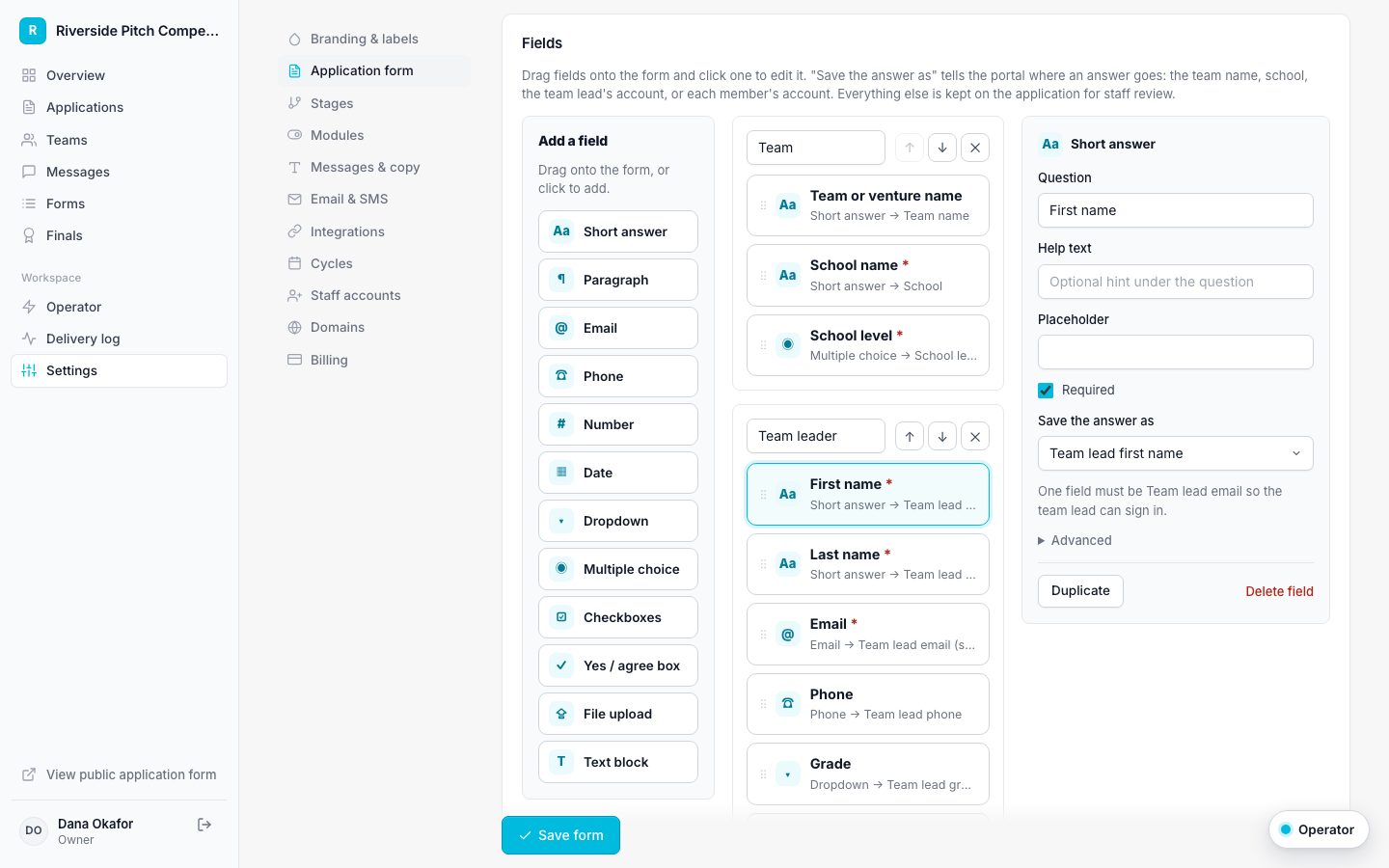
Build your application in the browser. Every submission creates the team, every member gets a portal account, and nothing has to be copied out of a spreadsheet.

Short and long answers, dropdowns, multiple choice, checkboxes, dates, numbers, file uploads, and text blocks for instructions.
Collect one team lead plus as many members as you allow. Each member row becomes a real member with their own sign-in.
Map fields to the team name, school, school level, and each person's name, email, phone, and grade. Everything else is kept for review.
Every public form runs Cloudflare Turnstile plus a hidden trap field, with no puzzles for real applicants.
When someone applies, Applicantly creates the team, adds every member, sends each person a secure sign-in link, opens a support conversation, and records the submission with any uploaded files. Your staff see it under Applications and Teams immediately.
Import a Forminator or Gravity Forms export and it converts field by field, including repeated "Team Member 1, 2, 3" blocks, which become repeating member rows. For any other source, paste a link or describe the form and AI builds a draft for you to review.
Choose which school levels count as adults. Everyone else is treated as a minor, so guardian consent and under-18 questions appear only when they should.
No. Applicants and their team members sign in with one-time links sent by email, or by text if you turn on SMS.
Yes. Add file upload fields for pitch decks, photos, transcripts, or anything else, up to 25 MB per file.
Yes. A small forwarder plugin sends Forminator submissions into your portal through the intake API, and duplicates are ignored.
Applications are just the start. Build the RSVP, the dietary form, the parent consent, and the pitch sign-up sheet in the same drag-and-drop builder, then send them to exactly the right people.
Applicants sign in with a secure link and see where they stand, what to do next, and every message from your staff, all under your program's name.
Applicants see your logo, your colors, and your words, from the application to the last email. On Pro and above, use your own domain.
Start with a template, make it yours, and share your application link. Free for 14 days.
Start your free trial