Applicantly

Team registration that keeps up with your season

Register teams with full rosters, collect consent for minors, schedule inspections, and send updates to every team in a stage.

Sound familiar?

  • Rosters change and nobody knows which email is current
  • Waivers for minors are scattered across email attachments
  • Inspection times are scheduled by hand

Start from the Team competition template, then change anything: stage names, questions, who receives each form, and what happens next.

Example setup

Stages

RegisteredRoster confirmedInspection scheduledCompetingWithdrawn

Forms

  • Team registrationCoach, team lead, and members with grade levels
  • Inspection sign-up10-minute slots, two teams per slot
  • Guardian consentMedical information and photo release for every minor
  • Dietary and accessibility needsFor event-day meals and accommodations

Automation

  • Roster confirmed sends the inspection sign-up
  • Inspection scheduled sends the dietary form

AI Operator

Ask instead of clicking

Operator, the built-in AI assistant, answers questions about your program and makes changes after you allow them. For robotics competitions, directors ask things like:

  • "Message every team in Inspection scheduled that the venue opens at 7 AM."
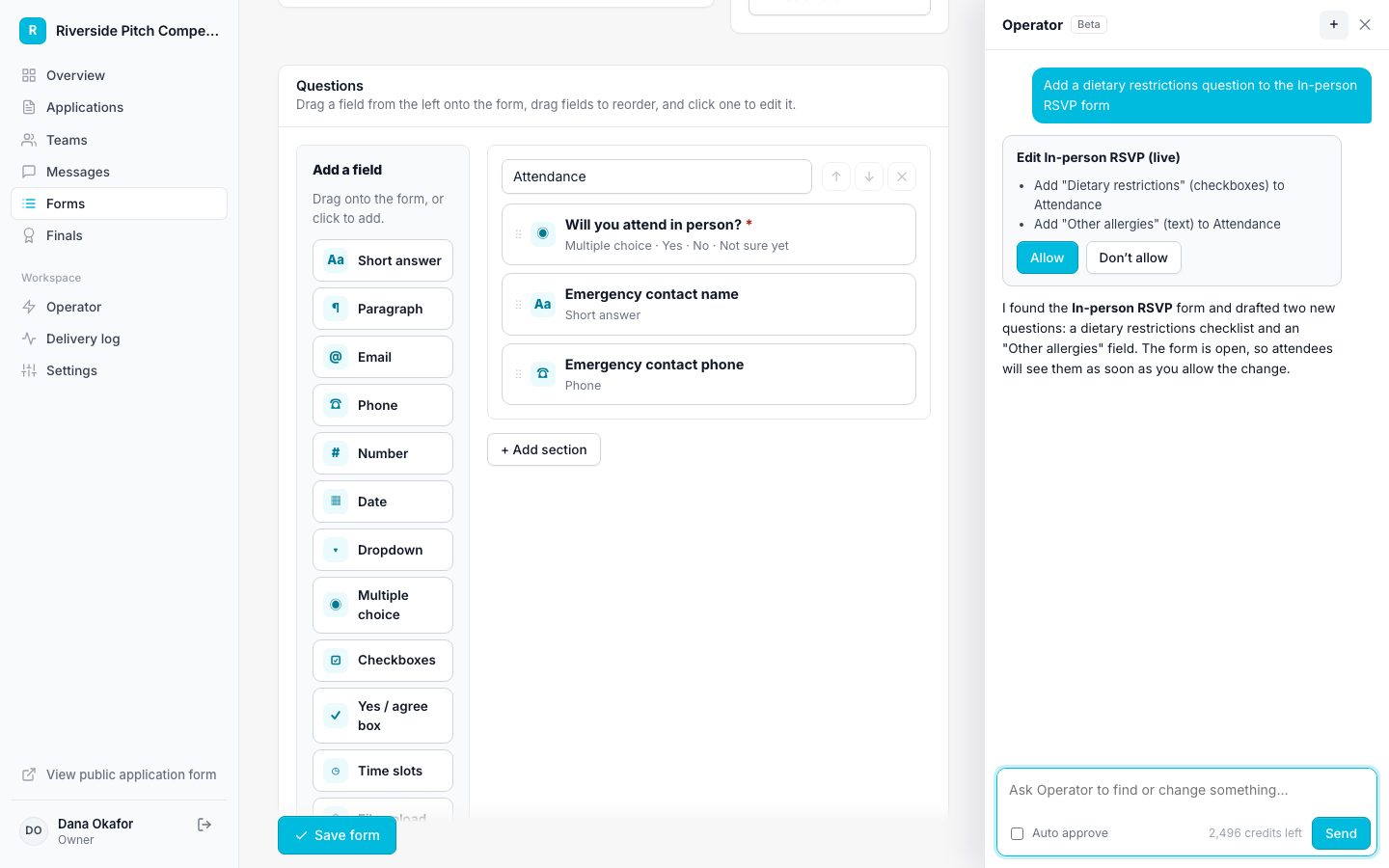
How Operator works
Operator proposing a change for approval

Features robotics competitions rely on

Questions

Can coaches who are not students be on the team?

Yes. Add coach or advisor fields to the application. They are kept as answers and do not create student accounts.

Run your robotics competition on Applicantly

Start with a template, make it yours, and share your application link. Free for 14 days.

Start your free trial