Applicantly

Your process, not a preset one

Name the steps your program actually uses, drag them into order, and let Applicantly move teams forward and send the right forms at the right time.

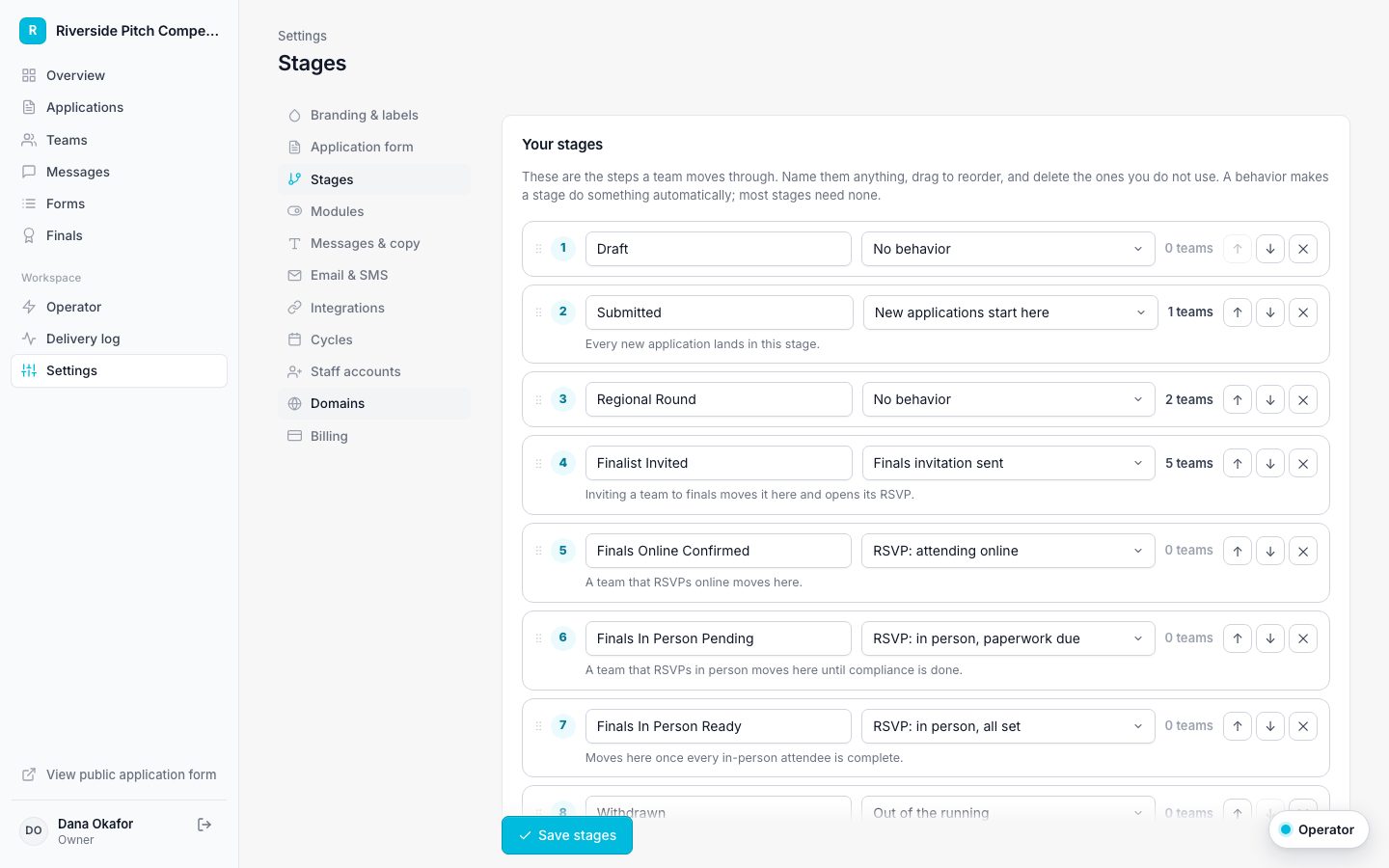
Stage editor with draggable stages, behaviors, and team counts
The stage editor

Any stages you want

Add, rename, reorder by dragging, and delete stages. Teams in a removed stage move to the one you choose.

Behaviors on any stage

Mark where new applications start, which stage opens the finals RSVP, and which stages mean out of the running.

Send forms automatically

When a team enters a stage, open forms set to that stage are emailed to them.

Advance on completion

When a form is complete for the whole team, move the team to the next stage.

Chain steps together

Rules connect: a team moves to Finalist, the pitch sign-up sends itself, the team books a slot, and the completed form moves them to Pitch Scheduled, which sends the in-person RSVP. You set it up once and it runs all season.

A pipeline you can see

The overview shows how many teams are in each stage, and every stage links to a filtered list. Each team keeps a full history of stage changes and what caused them.

Applicants see progress too

Teams see a step-by-step progress tracker in their portal, with the current and next step. Stages marked out of the running stay off the tracker.

Programs that use custom stages and automation

Questions about custom stages and automation

Do we have to use finals or compliance?

No. Turn modules off and their stages are no longer required. A scholarship can run on Submitted, Under Review, Awarded, and Declined.

Can we rename stages mid-season?

Yes. Renaming keeps every team where it is.

Is there a record of changes?

Every stage change is recorded with the time, who made it, and why.

Works well with

Set up your program this afternoon

Start with a template, make it yours, and share your application link. Free for 14 days.

Start your free trial