Applicantly

Scan a team in. Their number shows up big.

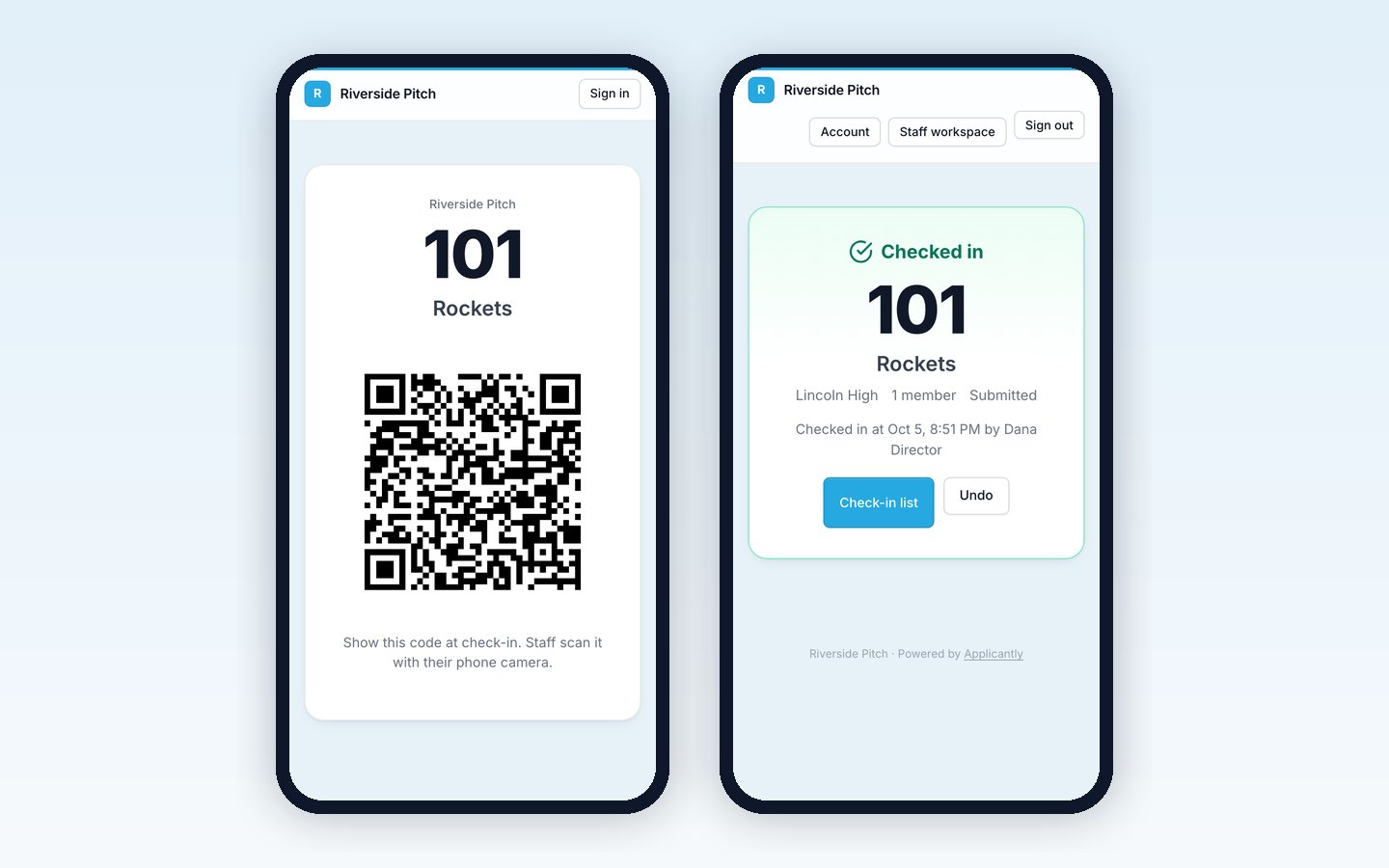
Every team gets a QR code in its portal. At the door, staff point a phone camera at it, and the team is checked in with its number on screen to call out.

A team check-in pass with a QR code beside a staff phone showing Checked in and the team number
The team pass and what staff see after scanning

No app to install

Staff use the phone's own camera. Signed in as staff, opening the code checks the team in.

The number, front and center

The screen shows the team number in large type, with the team name, school, member count, and stage.

Never twice

A second scan says Already checked in, with the time and who did it. Undo is one tap.

A live list

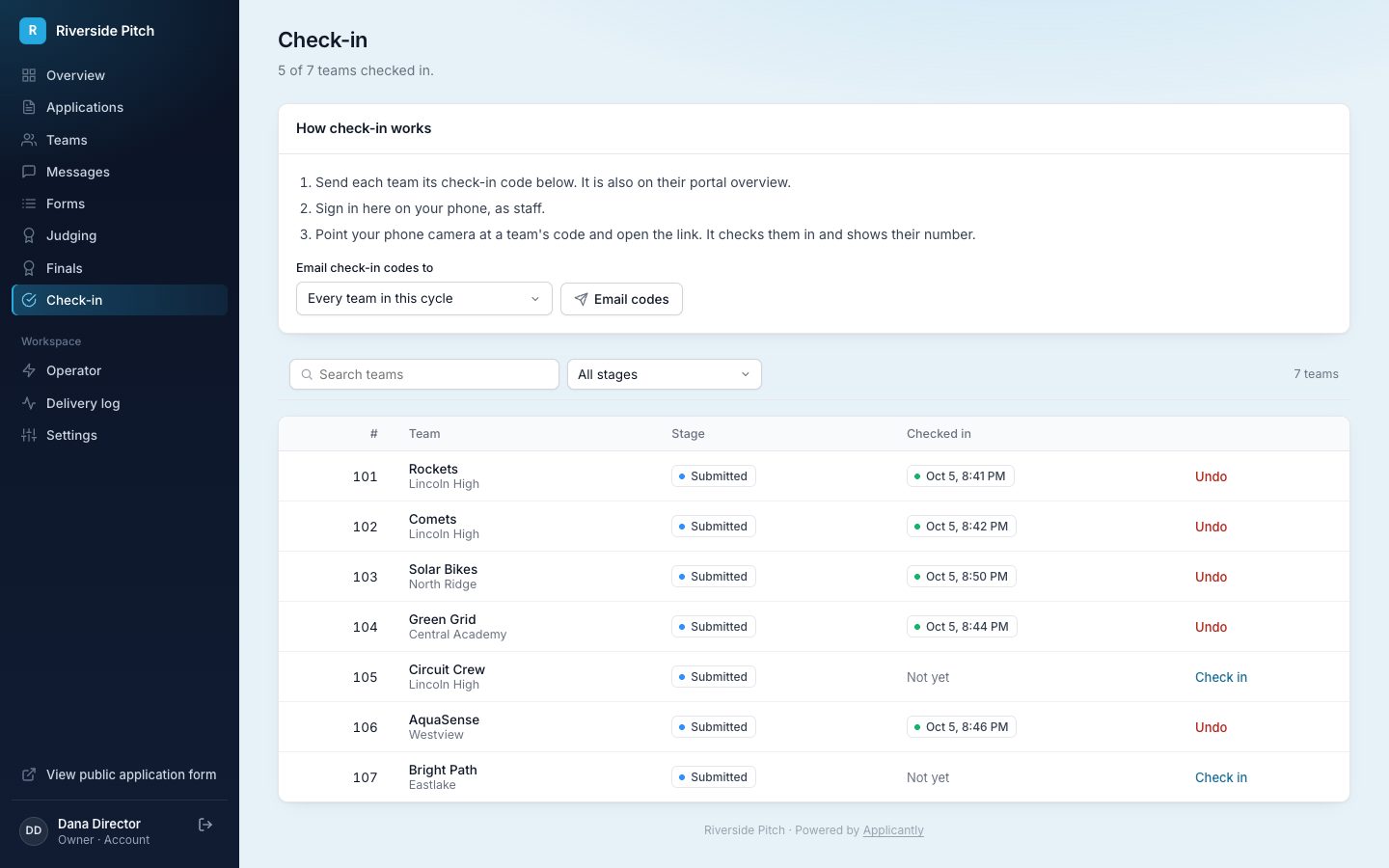
See how many teams are in, filter by stage, and check a team in by hand if they lost their code.
Codes teams already have

The code is on each team's portal overview, and you can email it to every team, or every team in a stage, with one click. Anyone who is not staff who opens the code sees the team's pass: its number and QR code full screen, ready to show at the door.

A check-in list for the whole event

The Check-in page shows every team with its check-in time in your own time zone, with search and a stage filter. Count how many finalists have arrived at a glance.

Staff check-in list with team numbers, check-in times, and manual check-in buttons

Built to be safe at a busy door

Codes are signed, so they cannot be guessed or edited to point at another team, and a code from another program does not work on yours. Link previews in chat apps and browser prefetching never check a team in.

Questions about event check-in

Do staff need an app to scan codes?

No. The camera app on iPhone and Android phones opens the code's link. Staff sign in to your portal on their phone once, then every scan checks a team in.

What happens if someone who is not staff scans the code?

They see the team's pass, its number and QR code, and nothing is checked in.

Can we check in a team without its code?

Yes. Find the team on the Check-in page and check it in by hand, or undo a check-in made by mistake.

Is check-in per team or per person?

Per team. One scan checks in the whole team and shows its number.

Does it work without an internet connection?

No. The phone needs a connection to check a team in, since every scan is recorded live.

Which plans include check-in?

Every plan. Turn it on under Settings, Modules.

Works well with

Set up your program this afternoon

Start with a template, make it yours, and share your application link. Free for 14 days.

Start your free trial