Applicantly

Consent from parents, without the paper

Applicantly knows which members are minors and sends their parent or guardian a personal link to review and sign. No account, no printer, no scanning.

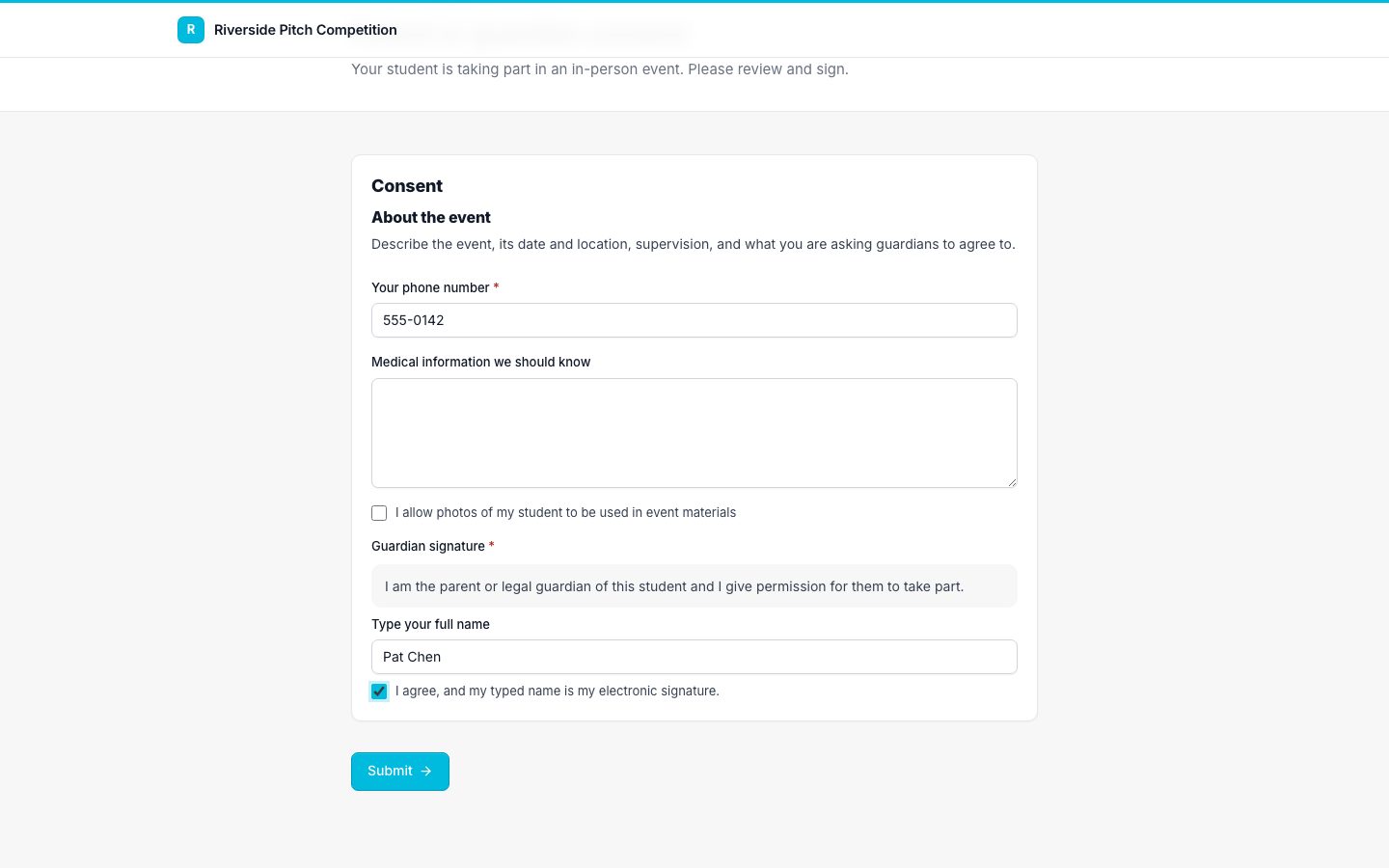
Parent or guardian consent form with a typed signature
A guardian consent form

Sent to the right person

Guardian forms go to the guardian email on file for each minor.

Typed e-signatures

Guardians type their name and agree, and the signature is recorded with the time.

Guardian first, then student

For in-person events, the guardian signs before the student, and a PDF with an audit trail is created.

Track who is missing

See every minor still waiting on a guardian signature.

Two ways to collect consent

Use the built-in in-person compliance packet for events with minors on site, or build your own consent form with the parent or guardian template and any questions you need, such as medical information or photo release.

Programs that use guardian consent and e-signatures

Questions about guardian consent and e-signatures

Do guardians need an account?

No. They get a personal link by email.

How do you decide who is a minor?

You choose which school levels count as adults, and a birthdate or explicit question can override it.

Works well with

Set up your program this afternoon

Start with a template, make it yours, and share your application link. Free for 14 days.

Start your free trial