A portal for every team, not another inbox

Applicants sign in with a secure link and see where they stand, what to do next, and every message from your staff, all under your program's name.

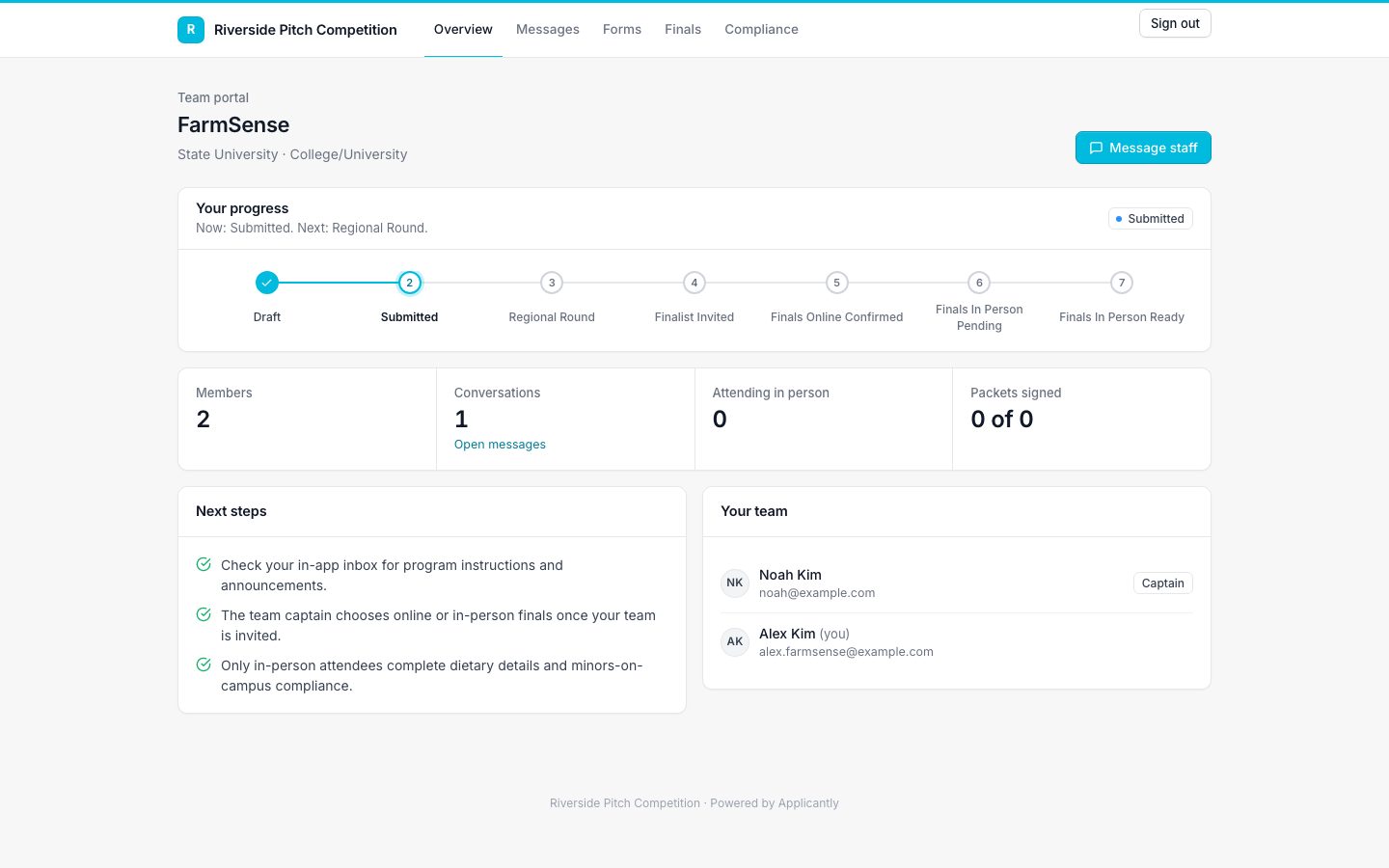
Applicant team portal showing progress steps and team members
The team portal

Sign in your way

A password, a one-time link by email or text, or Google sign-in where it is turned on.

Progress tracker

A clear step-by-step view of where the team stands and what comes next.

Forms to complete

Every form sent to the team appears in their portal with what is done and what is waiting.

One conversation with staff

Questions go to a single support thread your whole team can see.

Built for whole teams

Every member listed on the application gets their own sign-in to the same team portal, so the team lead is not the bottleneck.

Finals without the chase

When invited, the team lead chooses online or in-person attendance. In-person attendees add dietary, accessibility, and emergency details, and minors get guardian consent automatically.

Event day and after

With check-in on, each team's portal shows its check-in code to scan at the door. After judging, a Feedback page shows the judge comments you release.

Programs that use team portals

Questions about team portals

Can applicants see other teams?

No. Each person sees only their own team. Sign-in links work only on your portal.

Does the portal work on phones?

Yes. Every page, including sign-up sheets and forms, is designed for phones first.

Do teams see their team number?

Yes. When team numbers are on, the number appears in the team portal, on its forms, and in team emails.

What do teams see in their portal?

Their current stage and next step, every form sent to them with what is done and waiting, their team members, and one conversation with your staff. With check-in on, their check-in code too, and judge feedback once you release it.

Can teams read judge feedback in the portal?

Yes, once you release it. A Feedback page shows the questions you chose to share, with judges shown as Judge 1 and Judge 2 unless you show names.
Works well with

Set up your program this afternoon

Start with a template, make it yours, and share your application link. Free for 14 days.

Start your free trial