Applicantly

Every form your program sends, in one builder

Applications are just the start. Build the RSVP, the dietary form, the parent consent, and the pitch sign-up sheet in the same drag-and-drop builder, then send them to exactly the right people.

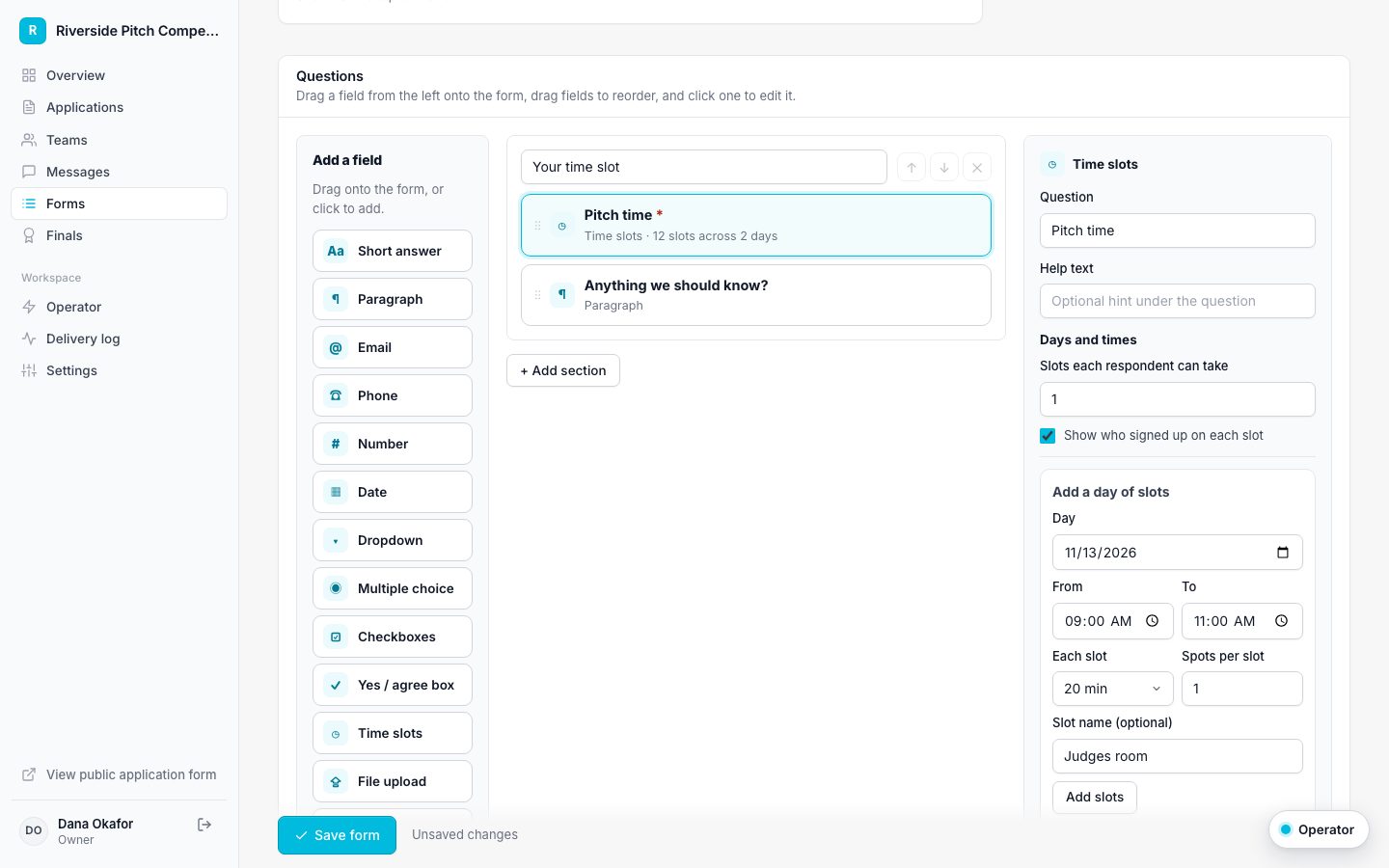
Drag-and-drop form builder with a field palette, form canvas, and field settings
Drag fields from the palette, click one to edit it

14 field types

Including checkboxes, time slots, typed signatures, file uploads, and text blocks.

Five starting templates

Blank, pitch time slot RSVP, in-person RSVP, dietary and accessibility needs, and parent or guardian consent.

Choose who answers

One answer per team, one per member, or one from each minor's parent or guardian, with no guardian account needed.

Import or generate

Upload a Forminator or Gravity Forms export, paste a link to any form, or describe what you need.

Drag, drop, done

Drag a field from the palette onto the form, drag fields to reorder or move them between sections, and click any field to edit its label, options, help text, and whether it is required. Preview the form exactly as people will see it.

Import from Forminator, Gravity Forms, or anywhere

Exports from Forminator and Gravity Forms convert exactly: names and addresses split into parts, section breaks become sections, and captchas or payment fields are skipped with a note. Anything else, from a Google Form link to a description in plain English, goes to AI, and the result is checked before you see it.

  • Conditional logic is listed as not imported, so nothing changes silently
  • Imports land as drafts for review
  • Your live application changes only when you save

Send it, or let it send itself

Email a form to every team in a stage, or set it to send automatically when a team reaches a stage. Each person gets a personal link, and the form also appears in their portal.

Programs that use form builder and import

Questions about form builder and import

How many forms can we create?

As many as you need on every plan.

Can people change their answers?

If you allow it. Each form has a setting to let people edit their answers while the form is open.

Does AI import cost extra?

AI import uses AI credits from your plan's monthly allowance. Forminator and Gravity Forms imports do not use any credits.

Works well with

Set up your program this afternoon

Start with a template, make it yours, and share your application link. Free for 14 days.

Start your free trial