Scholarship applications, reviewed in stages you define

Collect essays and documents, move applicants through your review, ask finalists for more with a follow-up form, and announce awards.

What changes

The parts of running scholarships that stop being manual

Transcripts and essays arrive as email attachments

Essays, transcripts, and recommendation letters upload with the application, stored with it.

Follow-up requests get lost

Follow-up questions go out as a form with a personal link, and you can see who has not answered.

Award notifications are mail merged by hand

Moving a recipient to Awarded sends the acceptance form with award terms to sign.

A season, step by step

How scholarships run on Applicantly

Start from the Simple intake template, then rename anything. Your stages: Submitted → Eligible → Finalist → Awarded → Not selected.

  1. 1

    Applications open

    Students apply

    A multi-page application with essays and uploads. Each application is one person; no teams needed.

    Multi-step formFile uploads
  2. 2

    Screening

    Check eligibility

    Reviewers move eligible applicants forward. Conditional questions keep the form short for everyone else.

    Stage: EligibleConditional questions
  3. 3

    Scoring

    Score with a rubric

    Reviewers fill out a judging form per applicant. Average totals rank the pool.

    Judging formResults
  4. 4

    Finalists

    Interviews

    Finalist sends the interview sign-up automatically. Applicants pick a 30-minute slot.

    Stage: FinalistTime slot sign-up
  5. 5

    Awards

    Award and accept

    Awarded sends the acceptance form with an e-signature on the terms.

    Stage: AwardedE-signature

Built for scholarships

What makes the difference

One person, one application

Rename Team to Applicant and turn member rows off. Every screen and email follows your terms.

Rubric scoring

Reviewers score on your criteria; each reviewer only sees the applicants you assign.

Signed acceptances

Recipients sign award terms with a typed signature saved with their record.

AI Operator

Ask instead of clicking

Operator, the built-in AI assistant, answers questions about your program and makes changes after you allow them. For scholarships, directors ask things like:

  • "List finalists from Lincoln High and their interview times."
How Operator works
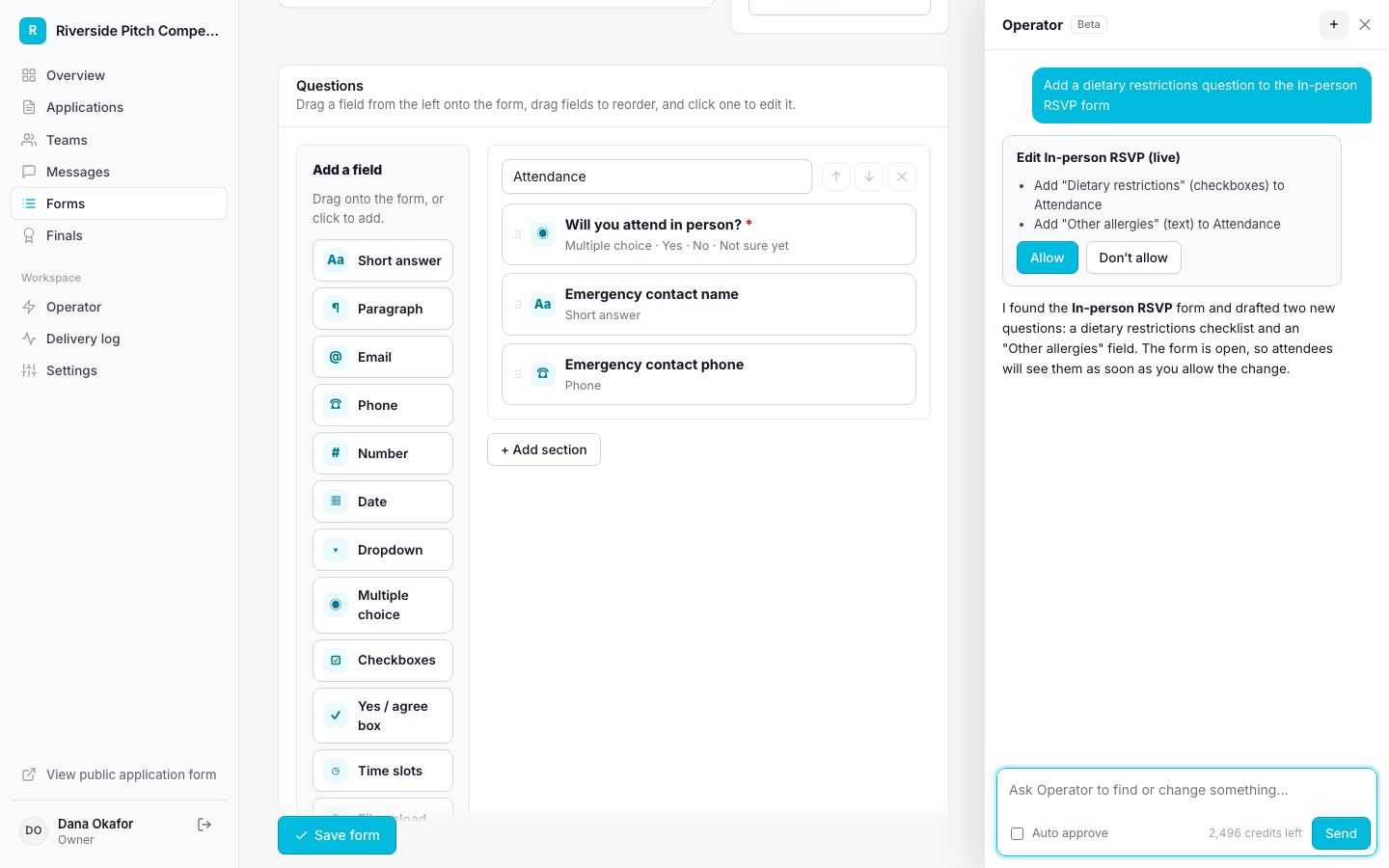
Operator proposing a change for approval

Features scholarships rely on

Questions

Do we have to use teams?

No. Rename Team to Applicant and leave member rows off, and each application is one person.

Can reviewers score without seeing personal details?

Yes. Reviewers with accounts see the application answers without emails, phone numbers, birthdates, or guardian details.

How do you keep track of scholarship applicants?

Every applicant sits in a stage you define, such as Submitted, Under Review, Finalist, and Awarded, with a full history of each change and every response in one place.

Can we score applications on a rubric?

Yes. Reviewers fill out a judging form for each applicant, and scores are totaled, averaged across reviewers, and ranked.

Does Applicantly pay out scholarship awards?

No. Applicantly runs applications, review, and notifications. Award payments are handled outside it.

Is there free scholarship management software?

Applicantly is not free. Plans start at $99 a month, and every plan includes a 14-day free trial.
Run your scholarship on Applicantly

Start with a template, make it yours, and share your application link. Free for 14 days.

Start your free trial