Applicantly

Youth program enrollment, minus the paperwork

Students apply, parents sign consent online, and you collect dietary and medical details before day one.

Sound familiar?

  • Permission slips and medical forms on paper
  • Dietary needs gathered the week before
  • Orientation sessions scheduled one family at a time

Start from the Simple intake template, then change anything: stage names, questions, who receives each form, and what happens next.

Example setup

Stages

AppliedAcceptedEnrolledWaitlistedDeclined

Forms

  • ApplicationStudent details and interests
  • Parent consent and medical informationGuardian e-signature with medical notes and photo release
  • Dietary needsRestrictions and allergies
  • Orientation sign-upChoose an orientation session

Automation

  • Accepted sends parent consent, dietary needs, and orientation sign-up
  • Complete consent moves the student to Enrolled

AI Operator

Ask instead of clicking

Operator, the built-in AI assistant, answers questions about your program and makes changes after you allow them. For summer programs and camps, directors ask things like:

  • "Which accepted students are missing parent consent?"
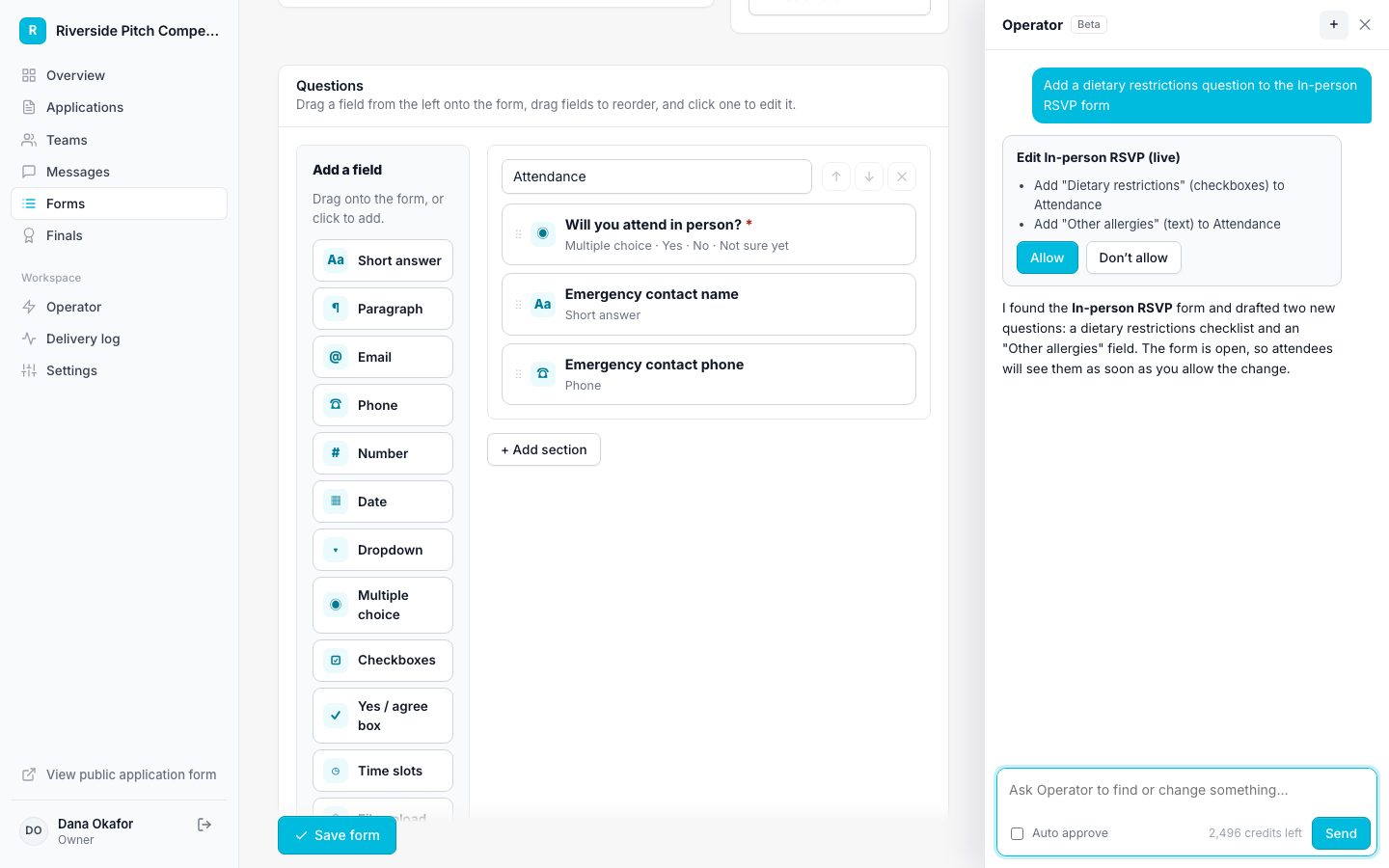
How Operator works
Operator proposing a change for approval

Features summer programs and camps rely on

Questions

Do parents need accounts?

No. Parents get a personal link to sign.

Run your summer programs and camp on Applicantly

Start with a template, make it yours, and share your application link. Free for 14 days.

Start your free trial