Applicantly

A grant cycle without the inbox

Collect proposals, request missing information with follow-up forms, move applicants through review, and collect signed award acceptances.

Sound familiar?

  • Proposals and budgets spread across email threads
  • Information requests with no tracking
  • No single view of where each applicant stands

Start from the Simple intake template, then change anything: stage names, questions, who receives each form, and what happens next.

Example setup

Stages

SubmittedIn reviewMore information requestedAwardedDeclined

Forms

  • ProposalOrganization details, project summary, budget upload
  • Information requestQuestions specific to the review
  • Award acceptanceTyped signature on award terms

Automation

  • More information requested sends the information request form
  • A completed request moves the application back to In review

AI Operator

Ask instead of clicking

Operator, the built-in AI assistant, answers questions about your program and makes changes after you allow them. For grant programs, directors ask things like:

  • "Which applicants have not answered the information request?"
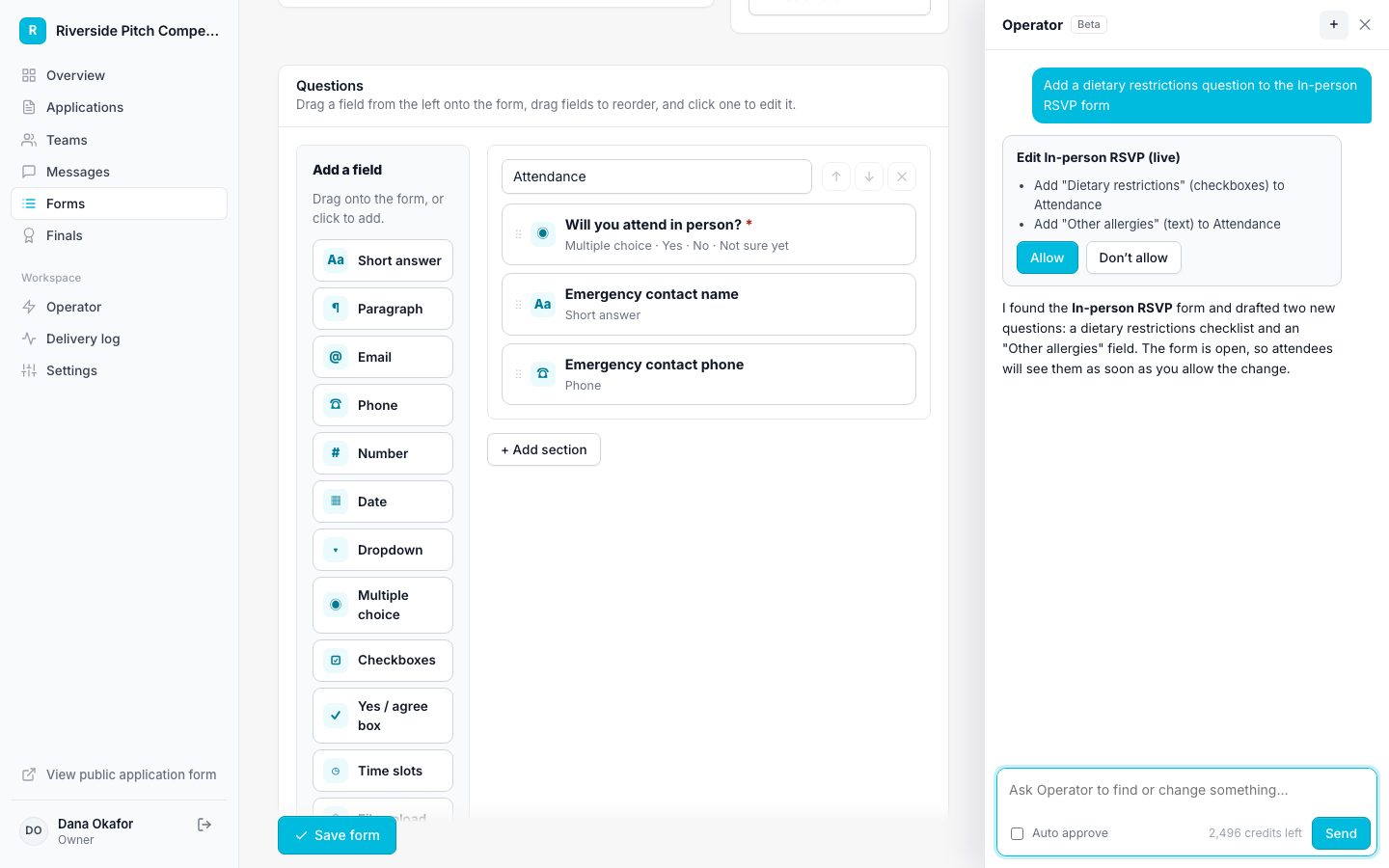
How Operator works
Operator proposing a change for approval

Features grant programs rely on

Questions

Can organizations apply instead of people?

Yes. Rename the terms so a team is an organization and its members are contacts.

Run your grant program on Applicantly

Start with a template, make it yours, and share your application link. Free for 14 days.

Start your free trial