How to schedule pitch times and interviews without the email back-and-forth
Replace scheduling threads with a sign-up sheet: choose days and slot lengths, set capacity, let teams pick, and see a live schedule. No double booking.
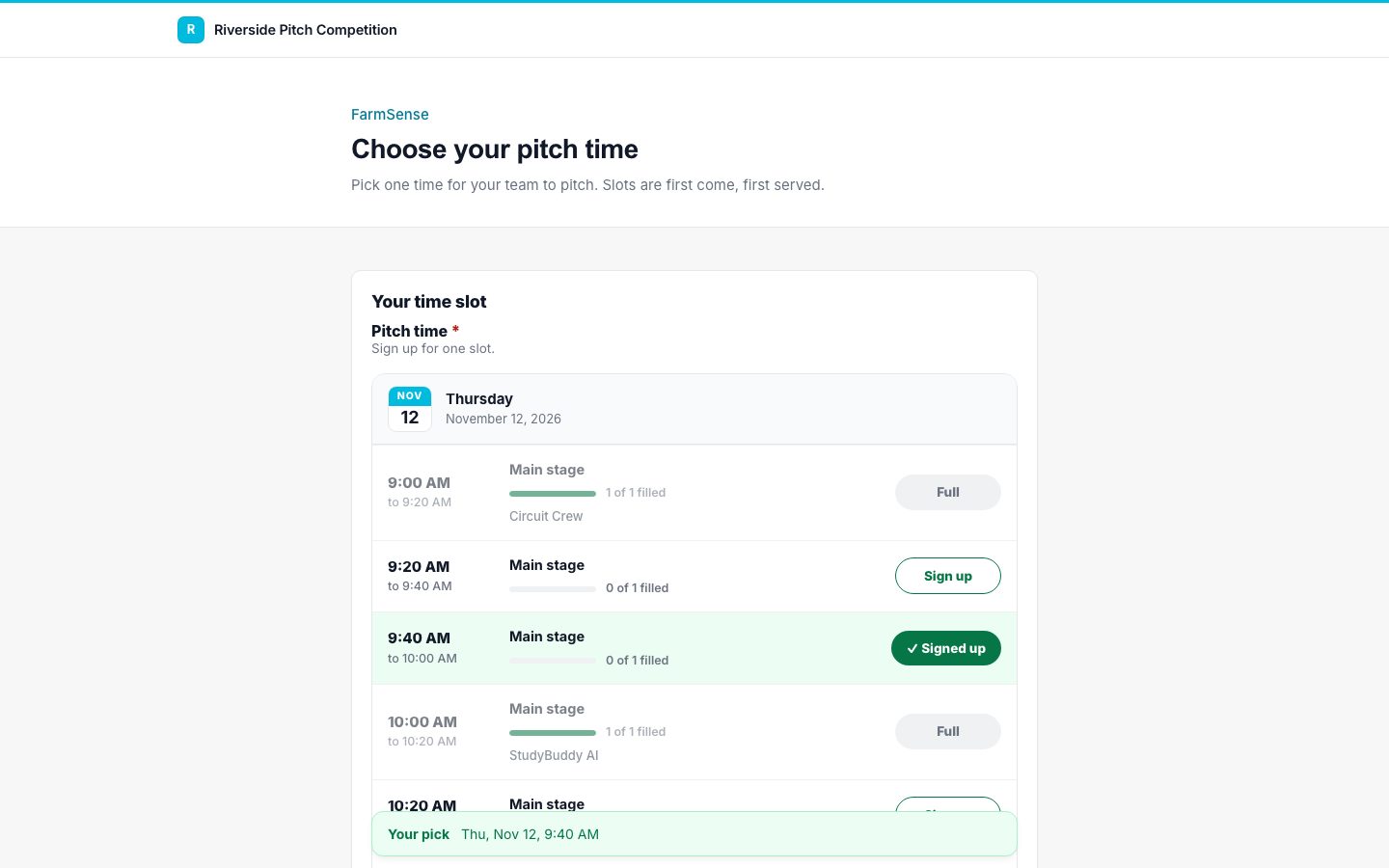
Every program that schedules people runs into the same problem. You email a list of times, three teams reply asking for the same one, and you spend the week untangling it. A sign-up sheet fixes this by letting people choose from what is still open.
Set the days and the slot length
Decide the windows you have, such as Thursday 9 to 11 and Friday 1 to 4, and how long each slot is. Twenty minutes is common for a pitch with questions; ten works for inspections or check-ins.
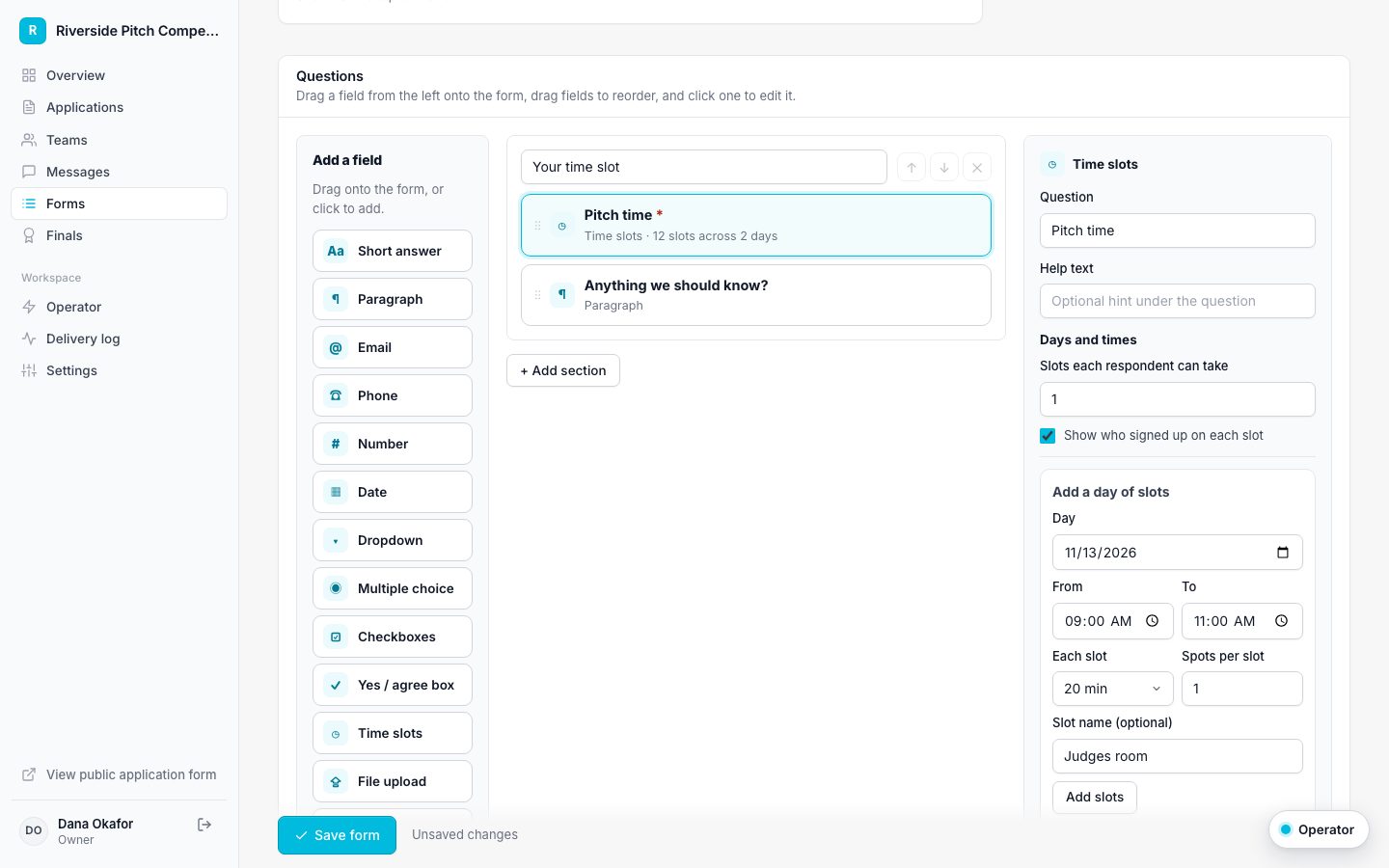
- Create a form from the Pitch time slot RSVP template.
- Click the time slot field and pick a day, a start and end time, and the slot length.
- Set how many teams fit in each slot. One for pitches, more for group sessions.
- Optionally name the slots, such as Main stage or Judging room B.
- Click Add slots, and repeat for each day.
Decide what people can see
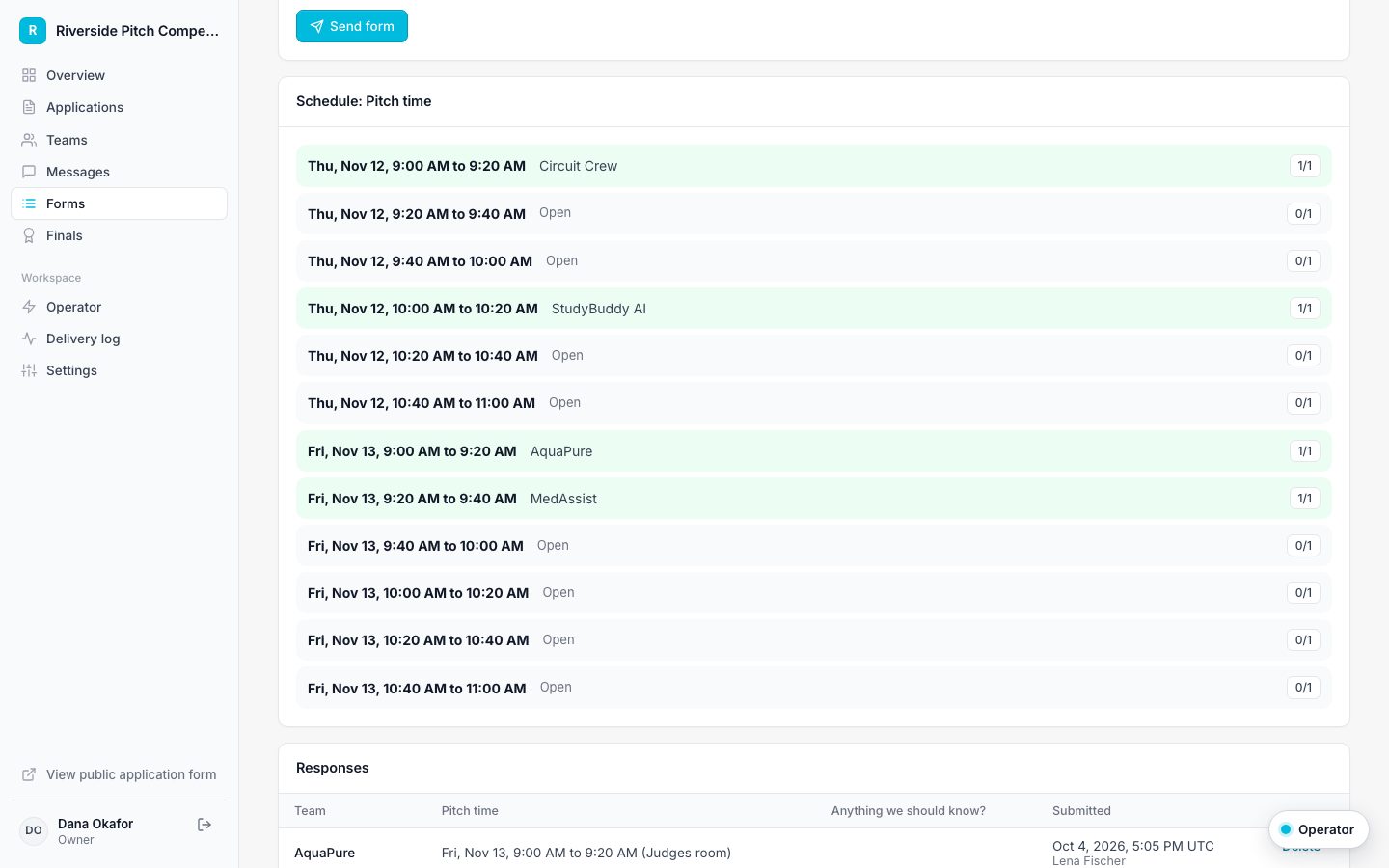
You can show who has taken each slot, like a shared sign-up sheet, or keep names private. You can also limit each team to one slot, or allow several for things like volunteer shifts.
Send it to the right people
Send the sheet to everyone in a stage, such as Finalists, or set it to send automatically when a team reaches that stage. Each person gets a personal link.
Why it never double books
Each booking is checked against the slot's capacity and saved in one step. If two teams try to take the last spot at the same moment, one gets it and the other is asked to choose again. People can change their pick while the form is open, and their old slot is released.
Run the day from the schedule
The staff view lists every slot with who holds it and how full it is. Export it to CSV for your run sheet. Teams can download a calendar file for Google, Apple, or Outlook after they sign up.