Build your application form
Use the drag-and-drop builder and choose where each answer goes.
Open Settings, then Application form.
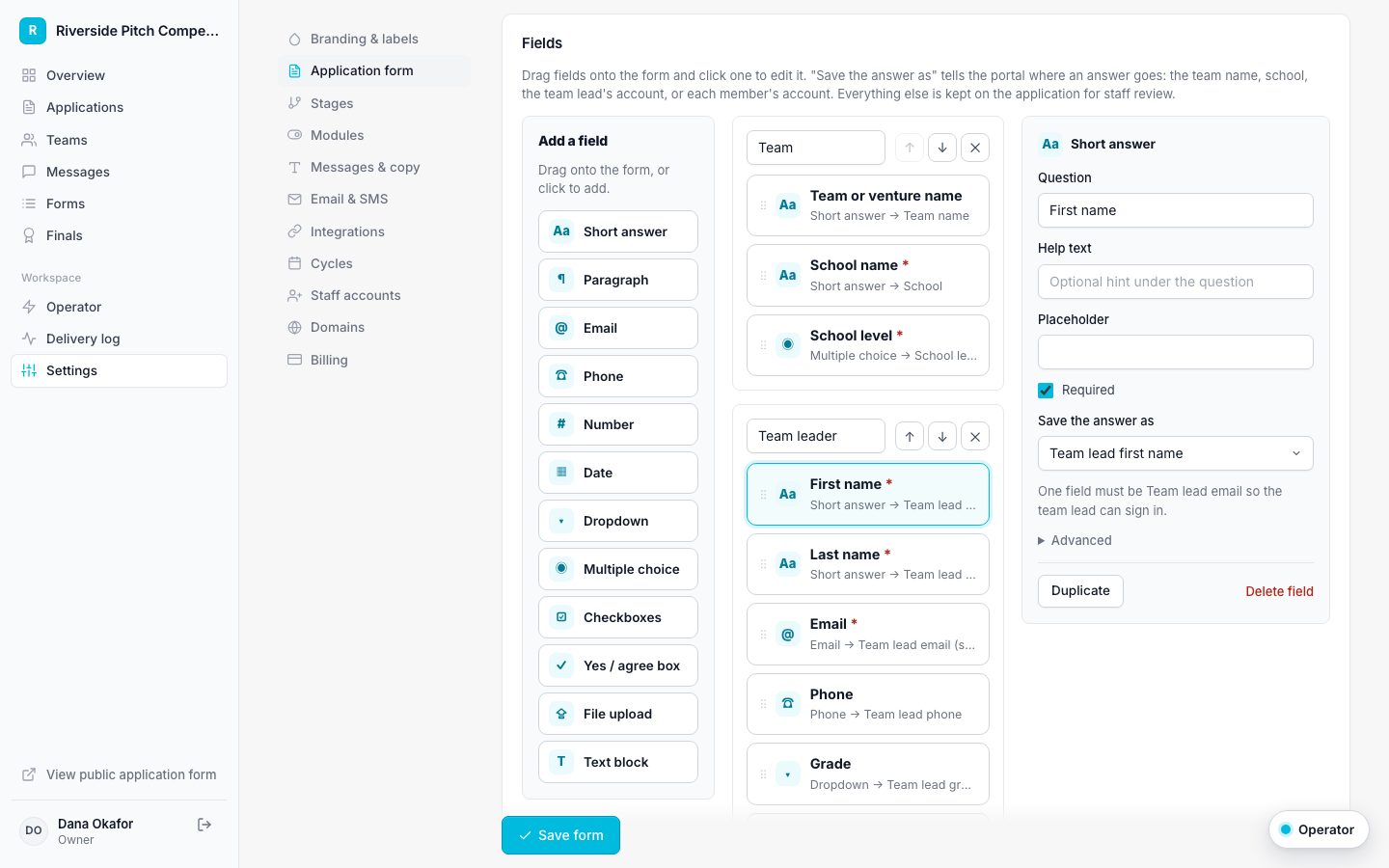
- Drag a field from Add a field onto the form, or click it to add it to the end.
- Click a field to edit its question, help text, options, and whether it is required.
- Use "Save the answer as" to send answers to the team name, school, school level, or a person's account details.
- Turn on repeating member rows to collect additional team members, and set the minimum and maximum.
- Save the form.
One field must be saved as the team lead email. That address receives the sign-in link. If member rows are on, one member field must be the member email.