Use Operator
Ask the AI assistant to look things up and make changes.
Directors and owners can open Operator from the button in the bottom-right corner of any staff page, from Operator in the sidebar, or with Cmd or Ctrl and J.
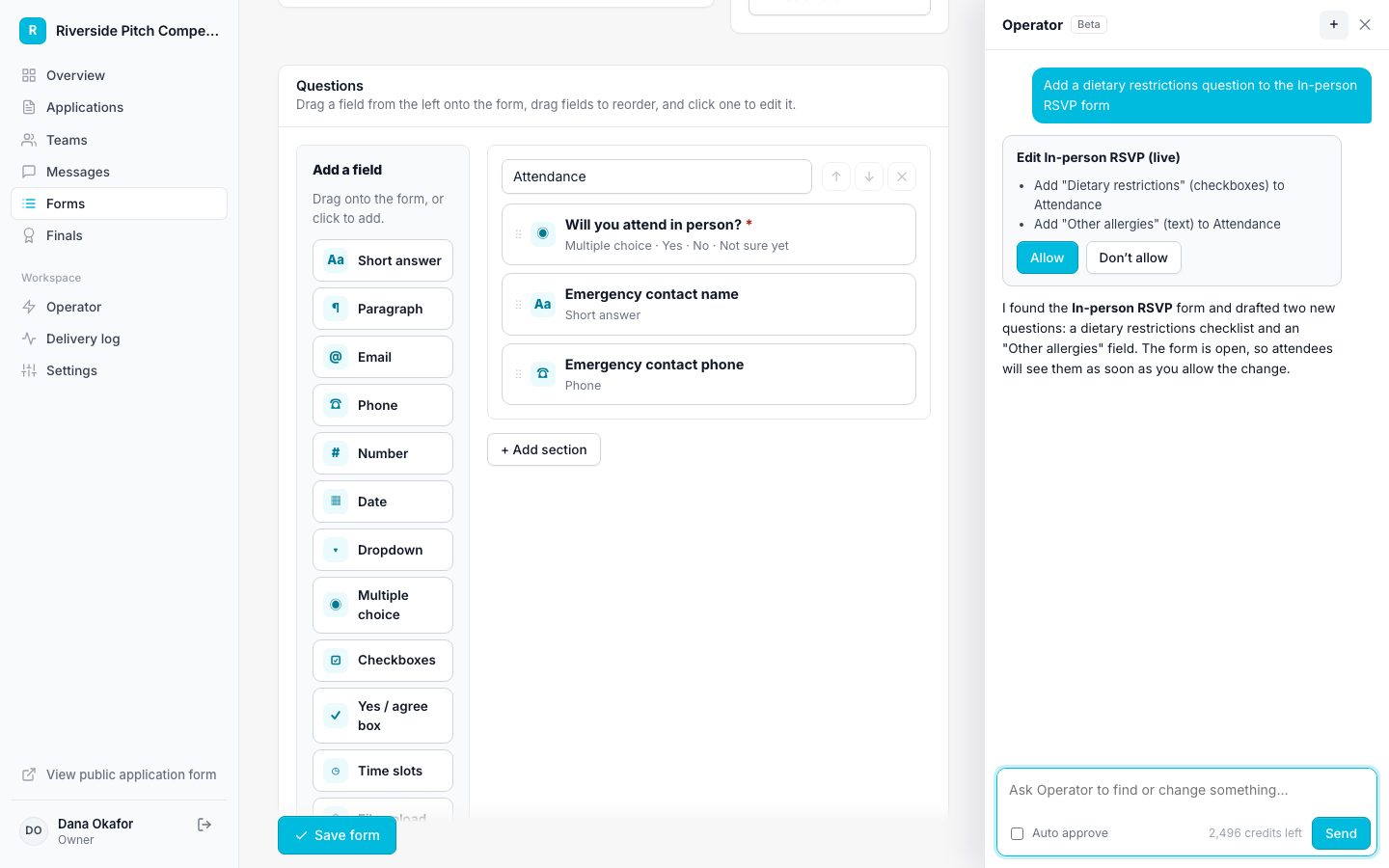
- Type what you want in plain language, for example "Add a dietary question to this form."
- Operator looks up what it needs and proposes the change as a card.
- Click Allow to make the change or Don't allow to skip it.
- Pages that show the changed data reload, and Operator stays open.
Auto approve
Turn on Auto approve for a conversation to let routine changes run without asking. Sending forms, broadcasts, removals, and stage changes that trigger emails still wait for you.
Start a new conversation with the plus button when you switch tasks. Conversations are kept for 90 days.