Application formsBranded applications that create every accountForm builder and importDrag-and-drop forms with conditional logic and Google Forms importTime slot sign-upsSign-up sheets that never double bookCustom stages and automationYour own pipeline, with automatic next stepsJudging and scoringJudging forms, score sheets, and ranked resultsEvent check-inScan teams in with a QR codeAI OperatorRun your program in plain EnglishTeam portalsA branded portal for every teamMessaging and announcementsOne conversation per team, plus broadcastsGuardian consent and e-signaturesParent consent and e-signatures for minorsBranding and custom domainsYour logo, colors, words, and domainIntegrations and exportsGoogle Sheets, CSV exports, and an intake API
See all features
Pitch competitionsRobotics competitionsHackathonsScience fairsScholarshipsGrant programsFellowshipsAccelerators and incubatorsSummer programs and camps
See all use cases
PricingBlogHelp
Sign inStart free trial
Features Application forms Form builder and import Time slot sign-ups Custom stages and automation Judging and scoring Event check-in AI Operator Team portals Messaging and announcements Guardian consent and e-signatures Branding and custom domains Integrations and exportsAll features
Use cases Pitch competitions Robotics competitions Hackathons Science fairs Scholarships Grant programs Fellowships Accelerators and incubators Summer programs and campsAll use cases
PricingBlogHelp center
Sign inStart free trial

Getting started

Create your portalAdd your logo, colors, and terminology

Forms

Build your application formImport a form from Forminator, Gravity Forms, or anywhereCreate a follow-up formSet up a time slot sign-up sheetSend a form and track responses

Stages and automation

Customize your stagesAutomate forms with stage rules

Operator and AI

Use OperatorHow AI credits work

Applicants and messaging

Message teams and send announcementsWhat applicants seeCollect parent and guardian consent

Account and billing

Use your own domainChange your plan or billing period
Help / Forms

Create a follow-up form

Build RSVPs, dietary forms, consent forms, and more.

  1. Open Forms and choose a template under Create a form.
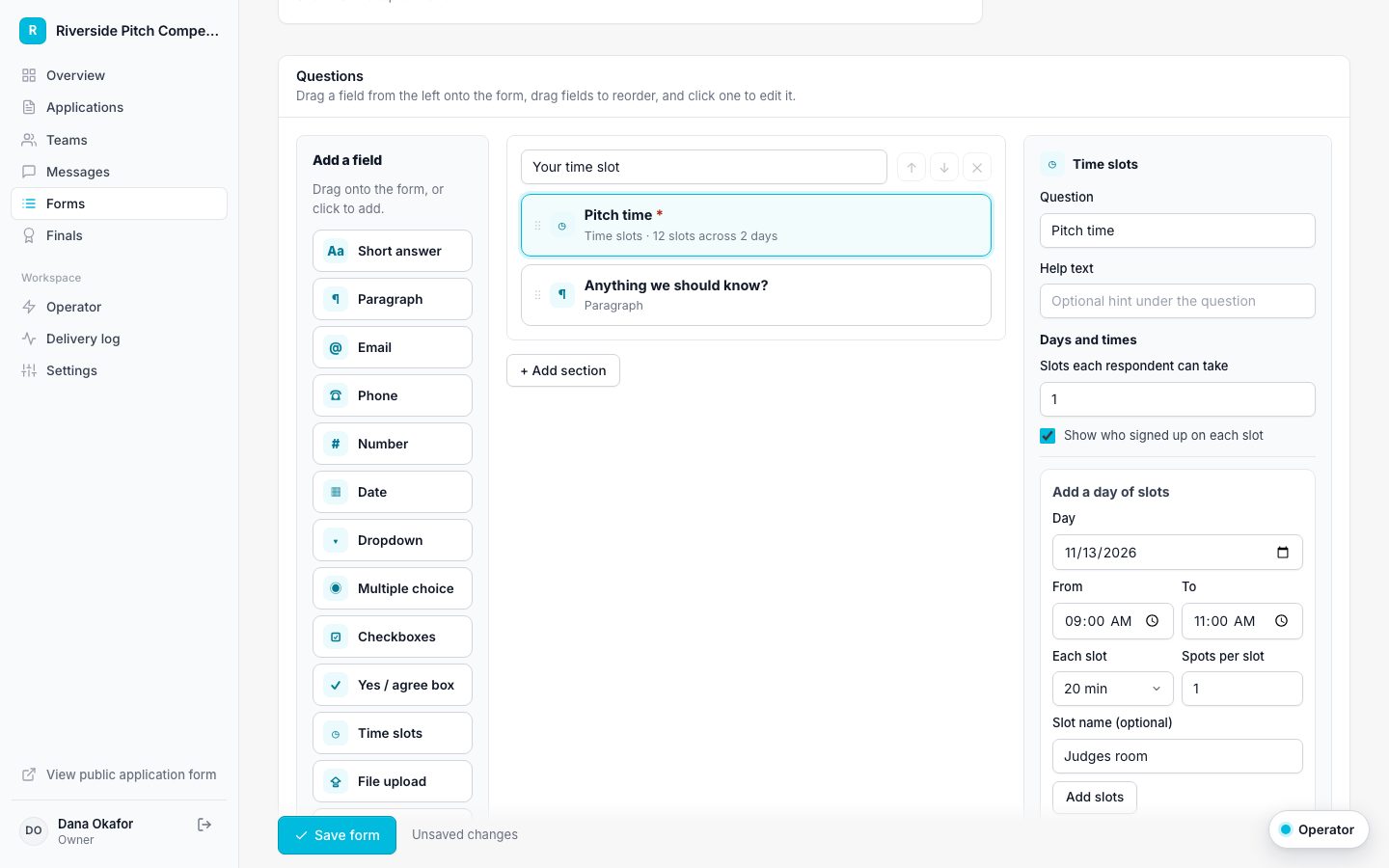
  2. Drag fields in, out, and around in the builder.
  3. Choose who fills it out: one per team, each member, or the parents and guardians of minors.
  4. Set the status to Open when you are ready.
  5. Save.
Follow-up form builder

Related guides

Send a form and track responses Set up a time slot sign-up sheet Automate forms with stage rules

Applications, portals, forms, and an AI Operator for programs and competitions.

Start free trial

Product

Application formsForm builder and importTime slot sign-upsCustom stagesJudging and scoringEvent check-inAI OperatorGuardian consentAll features

Use cases

Pitch competitionsRobotics competitionsHackathonsScholarshipsGrant programsSummer programsAll use cases

Resources

PricingPitch competition plannerScholarship starter kitBlogHelp centerFAQCompareContact usGetting startedFind your portal
© 2026 Applicantly